For competition, hackathon and community organizers
Winners selected.Payouts organized.
Pay competition winners through a single workflow. Collect winner details, review prize amounts and keep the documentation for every payment.
1% + $0.10 per payout. No setup or monthly fee.
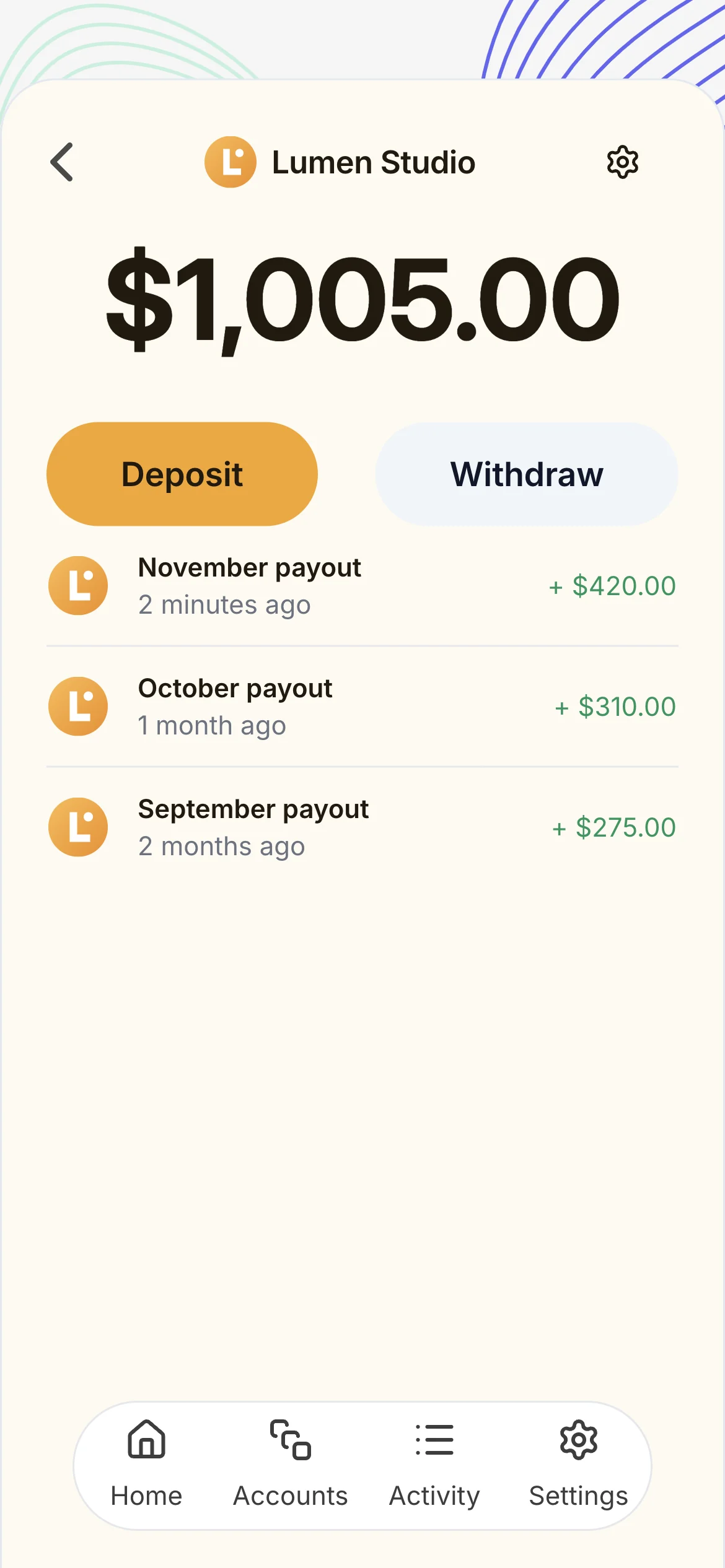
Recipient's wallet
Receiving a payout? Sign in to your wallet →
From results to recipient payouts.
Invite your winners after judging. Keep their onboarding status, prize amount and competition reference together so the next payout step is clear.
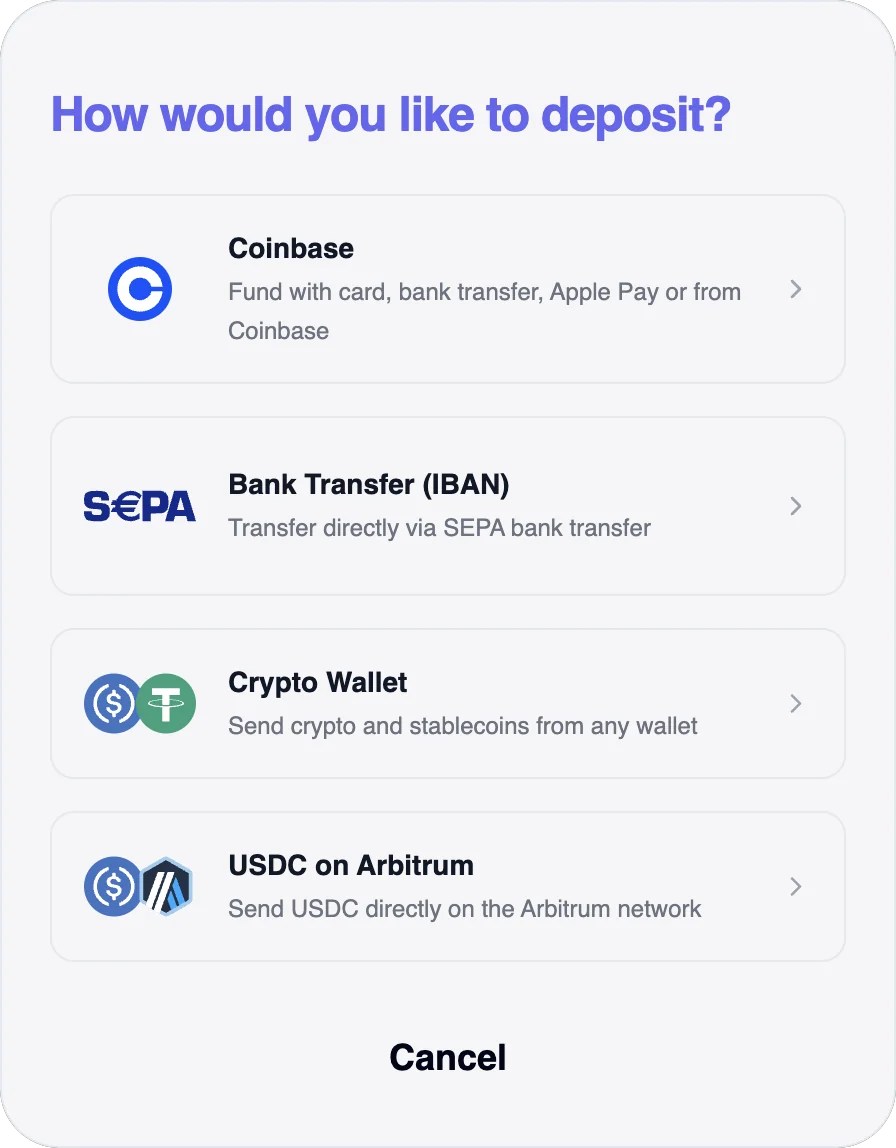
Create a business account and fund your own wallet.
Invite recipients once and reuse their details.
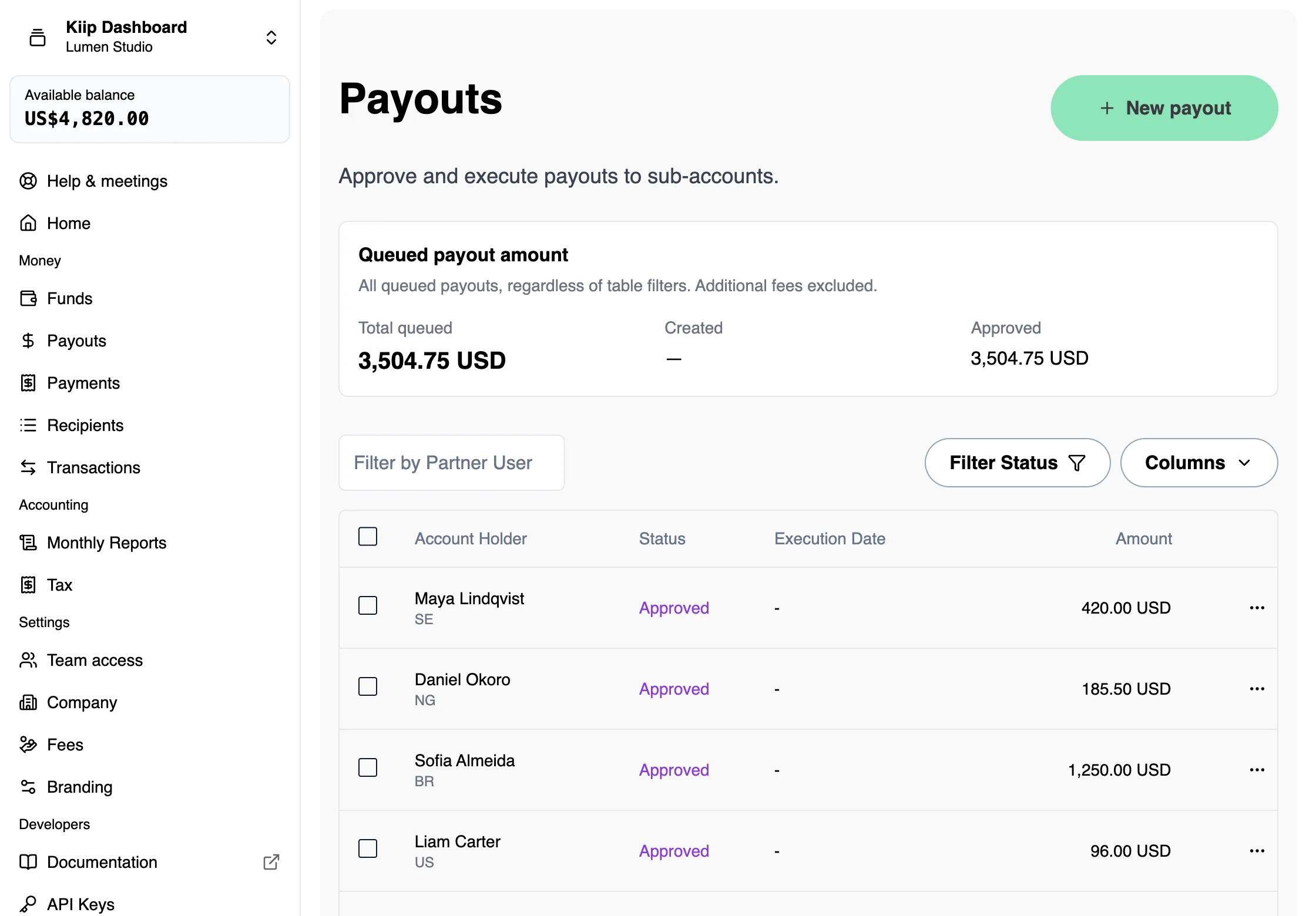
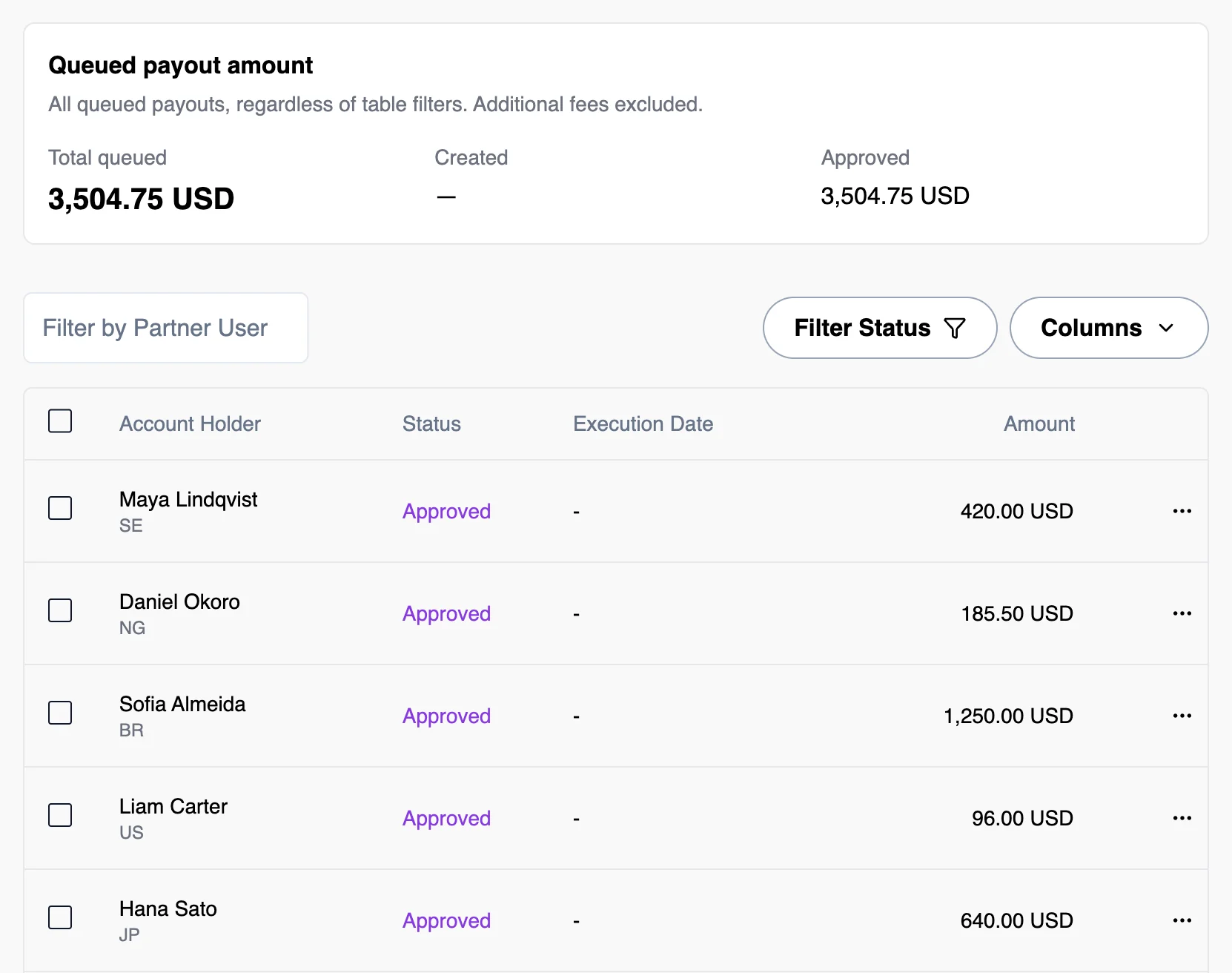
Approve amounts and fees, then send your payout round.
Export the documents and repeat on your schedule.
From your bank.
To their next step.
See both sides of a payout: your team's dashboard and the recipient's wallet. Follow the journey from funding to cash-out.
Your business payout workflow
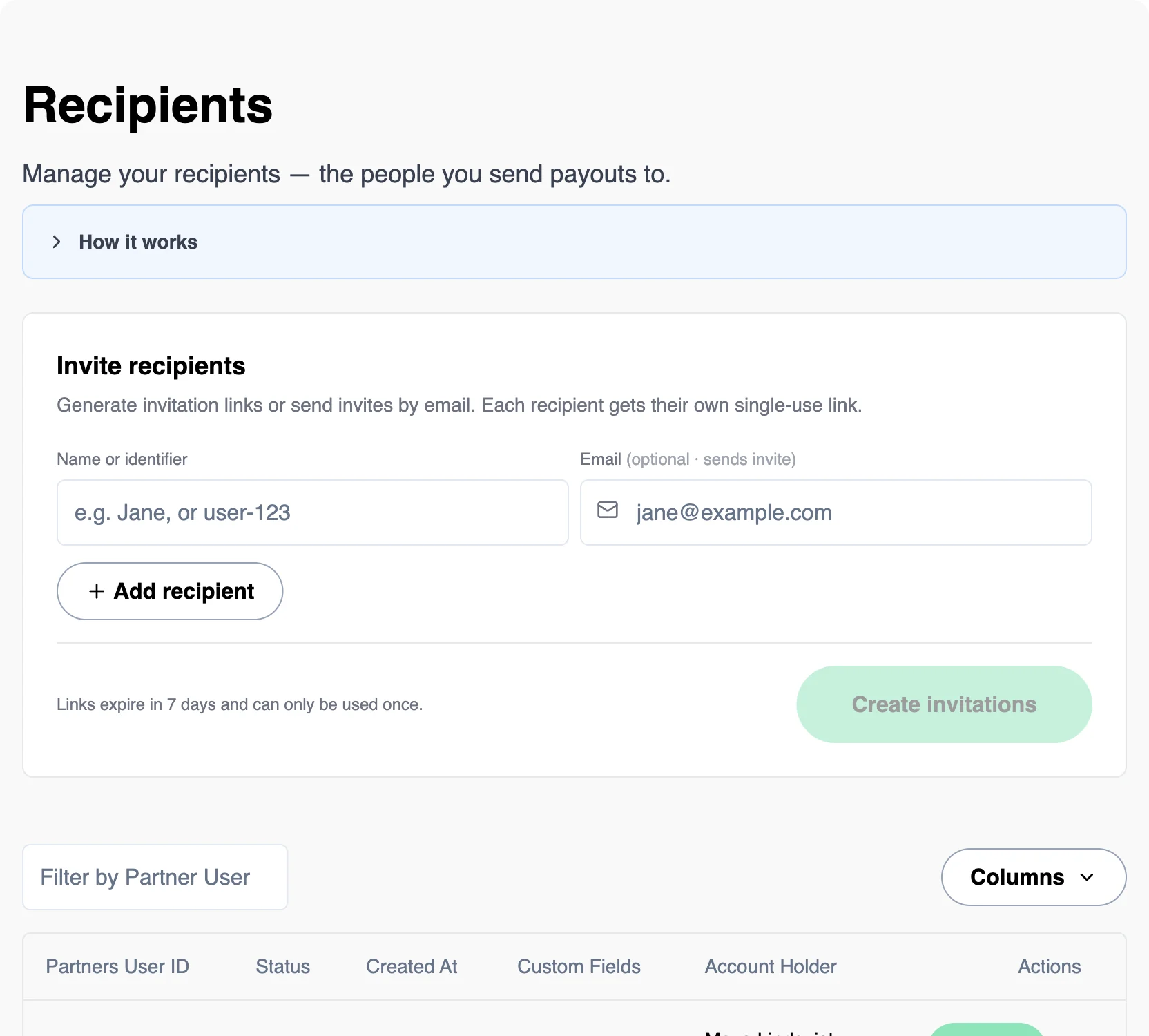
Give every winner a next step.
Share a recipient link with each winner. They set up their account and provide their payout and tax information; your team follows their readiness in the dashboard.
Keep a record of each prize.
Add your event and prize references to the payment. Export payout documents and transaction history for your finance team after the round.
See the documentation workflow →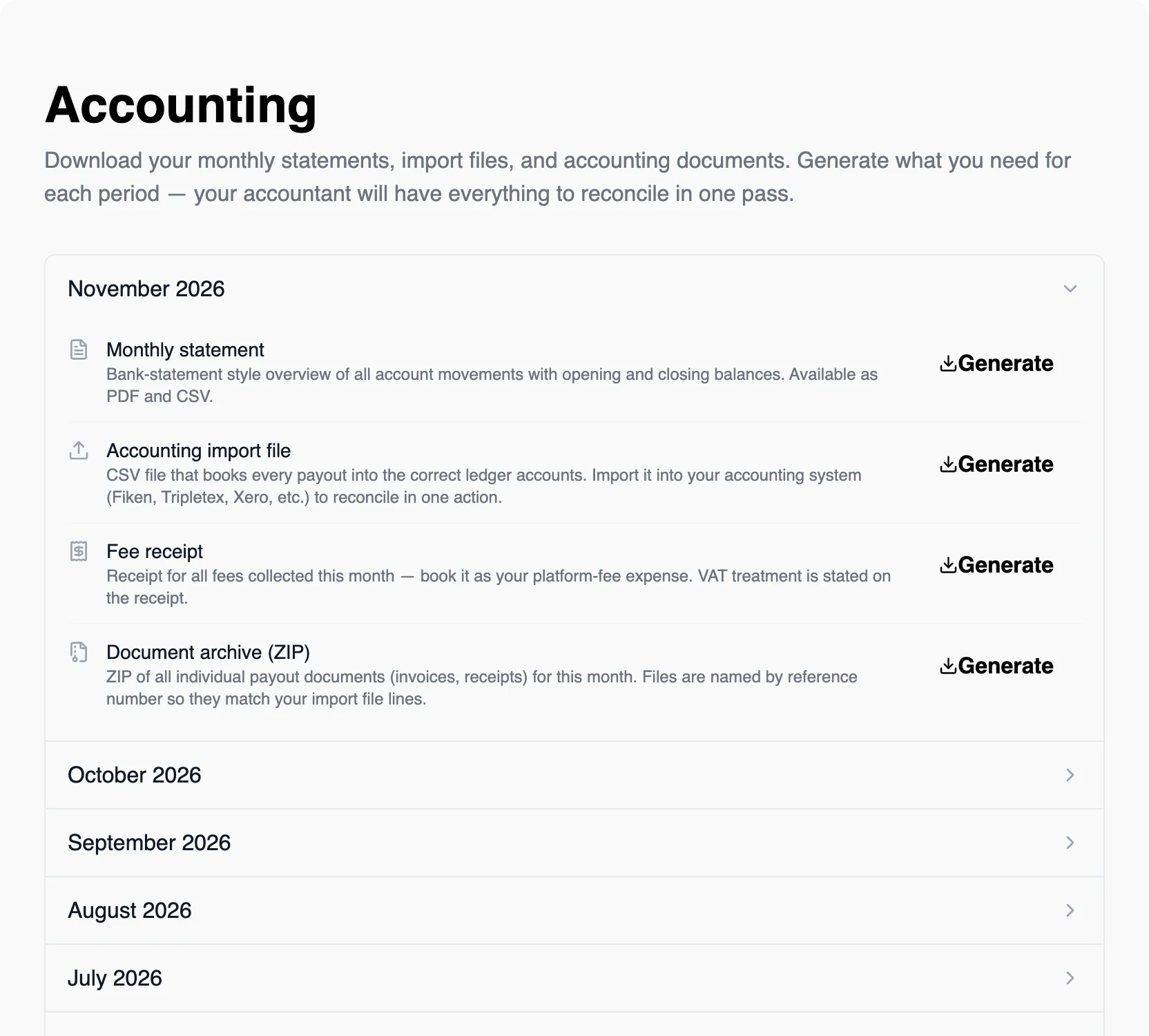
A fee for the workflow.
No monthly commitment.
1% + $0.10 per payout. Recipient onboarding, tax information, payout records and exports in one place.
See the full pricing breakdown →Your next payout round
1% + $0.10 per payout
- Payout amounts
- $1,000.00
- Kiip fees
- $11.00
- Business total
- $1,011.00
Kiip fees shown. Funding, currency conversion and withdrawals are priced by the provider you choose.
Your account.
Your authorization.
Your money is in an account you control. Kiip never holds it and cannot move it. You authorize payouts with your passkey; recipients control their own balance.
How account security works →Built with financial and wallet infrastructure from


Wallet infrastructure, stablecoin issuance, funding and withdrawals each have their own provider. See their roles on our trust page.
Put the next round in motion.
Before your
first payout.
How do I fund payouts?
Create your business account, set up your account with a passkey, and open Funds in the dashboard. Choose bank-transfer funding and follow the connected provider's instructions. Funding options also include card and stablecoin transfers. The funding screen shows the provider, currency and steps.
What do recipients need to do?
Recipients follow your invitation link, verify their email and set up a wallet secured by a passkey. They enter the payout and tax information required for their account. A withdrawal provider may also ask for identity verification when they convert to local currency.
How do recipients withdraw to their bank?
From their wallet, recipients choose Withdraw and a provider such as Monerium, Coinbase or Transak. Monerium connects euro balances to bank transfers; other providers offer their own currencies and local withdrawal methods. The provider displays the quote, requirements and expected arrival time. The first-payout guide explains the full journey.
How fast does a payout arrive?
Once you approve and sign a payout, the recipient's wallet is credited after on-chain settlement, typically in seconds. Bank funding, verification and withdrawal processing have their own timelines. Your dashboard and the withdrawal provider show the status of each step.
Can I start without an integration?
Yes. Set up your free business account and use the dashboard for your first payout round. When you want to automate, use the API for recipient accounts, payouts and webhooks. Your business account is the starting point for both paths.
Who controls the money?
Your money is in an account you control. Kiip never holds it and cannot move it; you authorize every payout. After settlement, recipients control their own balances and choose when to withdraw.
Can I get help with setup or integration?
Yes. Set up your free business account, then contact our team or schedule a meeting in the dashboard. Get help with funding, recipient onboarding, pricing, documentation and API integration while continuing your setup.